
What I Learned After Testing Every New ChatGPT Feature in 2026 (So Far)
I tested every major ChatGPT update from January to May 2026.

Hey friends,
I have spent the last few months living inside ChatGPT, testing every new feature OpenAI has shipped in 2026. Some of it is hype. A lot of it is genuinely useful. And honestly, a few features changed the way I work every single day.
So I sat down to write the email I wish someone had sent me in January. No jargon, no developer talk, just the stuff that helps you get your job done faster.
Here is what is new in ChatGPT in 2026, and how I actually use each thing in my work week.
1. Workspace Agents (the biggest change of the year)
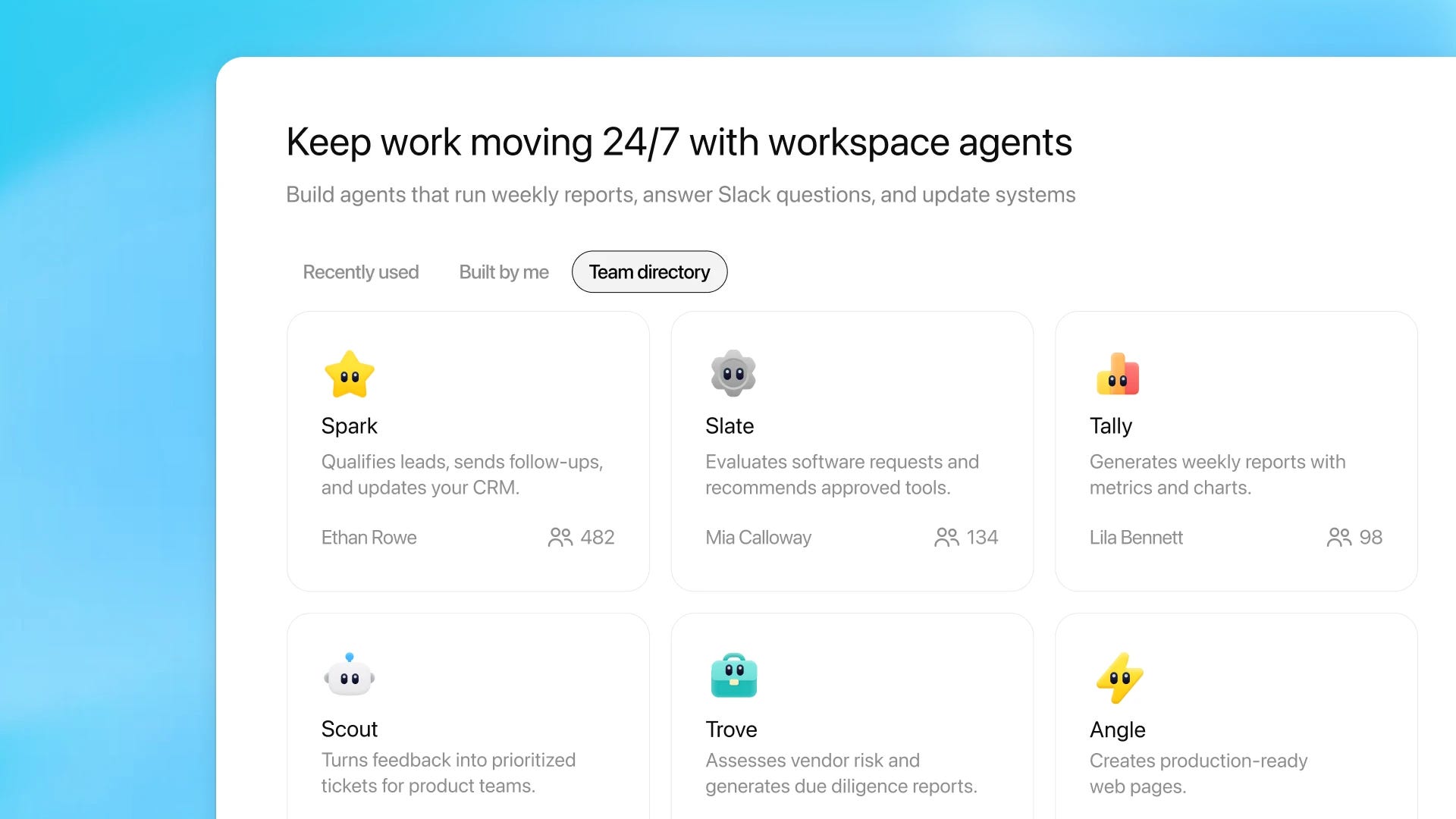
In April 2026, OpenAI launched Workspace Agents, and I think this is the most important update I have tested all year. Think of an agent as a coworker that lives inside ChatGPT. You describe what you want done in plain language, give it access to your tools (like Slack, Outlook, or SharePoint), and it runs in the background.
I built one in about ten minutes that prepares my Monday morning meeting briefs. Every Sunday night it pulls my calendar, checks notes from past meetings, looks up news on each company I am meeting, and emails me a clean summary before I wake up.
How this can help you at work:
Build a sales prep agent that researches accounts before each call
Set up a weekly report agent that pulls numbers and writes the first draft
Create a customer feedback agent that reads support tickets and flags trends
Build a meeting follow up agent that turns transcripts into action items
You build it once, share it with your team, and it keeps working even when you are asleep. Available on ChatGPT Business, Enterprise, Edu, and Teachers plans.
2. GPT-5.5 Instant (the new default model, May 2026)
Quietly, OpenAI rolled out GPT-5.5 Instant as the new default for everyone. You do not need to do anything to use it. It just shows up.
What I notice in real use: answers are tighter, less fluff, fewer of those annoying follow up questions, and far fewer random emojis cluttering my replies. It also picks better when to search the web on its own, so I get more accurate answers without me having to ask twice.
How this can help you at work:
Faster, cleaner first drafts of emails and reports
Better answers when you upload an image or screenshot
More reliable when you ask it factual questions about your industry
If you stopped using ChatGPT a year ago because the answers felt long and rambly, this is the moment to come back.
3. ChatGPT Pulse (a personal morning briefing)
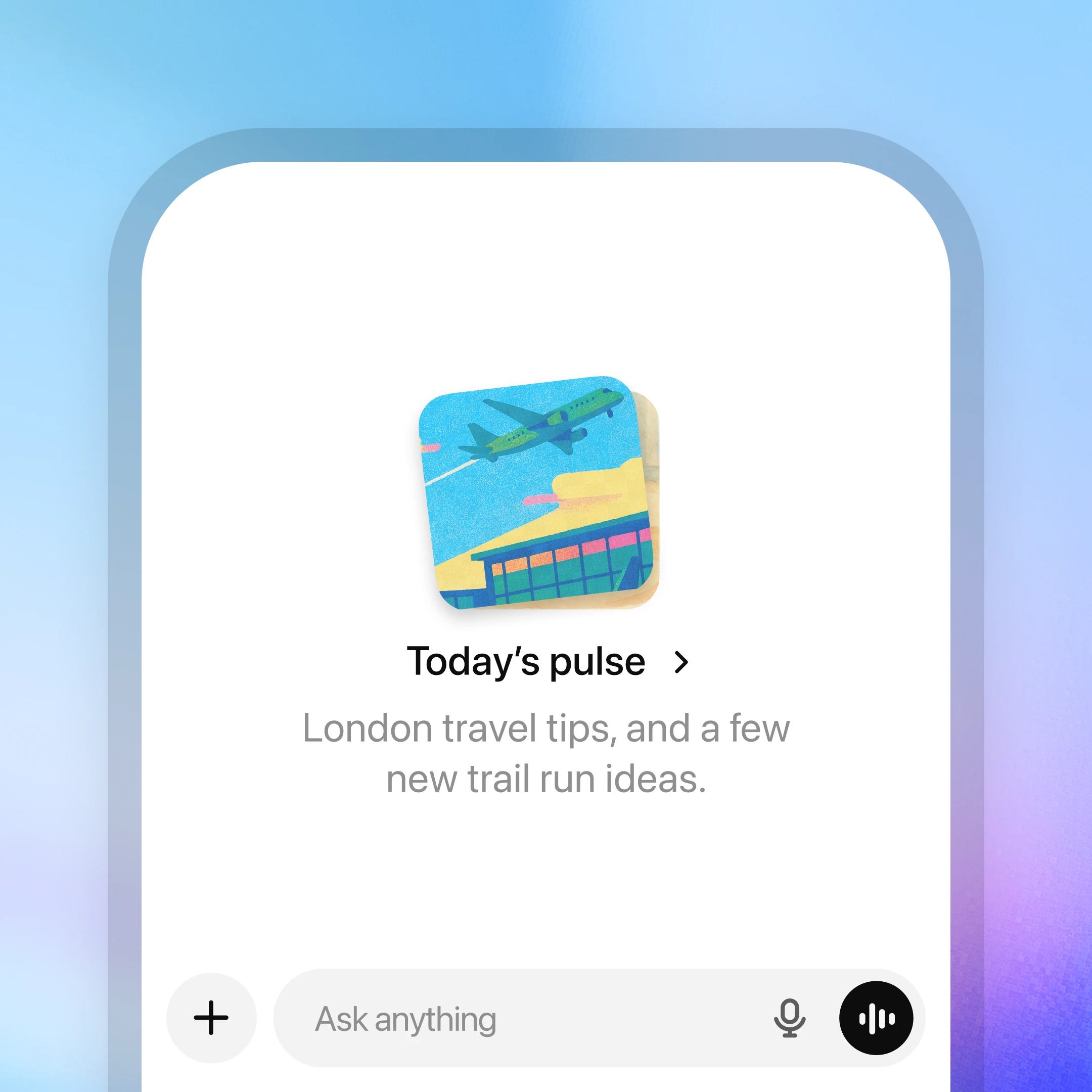
Pulse is a feature where ChatGPT does research overnight and hands you a personalized briefing in the morning, like a daily newspaper made just for you. It uses your past chats, saved memory, and (if you connect them) your Gmail and Google Calendar.
I asked Pulse to keep an eye on AI trends in my industry. Every morning I open the app and there are five visual cards waiting for me, with the latest news, ideas, and follow ups on projects we have discussed.
How this can help you at work:
Daily prep before your first meeting
Reminders about tasks you mentioned days ago
Industry news filtered to what matters for your role
Travel tips when you have a trip coming up
Currently in preview for Pro users on mobile. Worth turning on if you have it.
4. Better Memory (and you can finally see what it remembers)
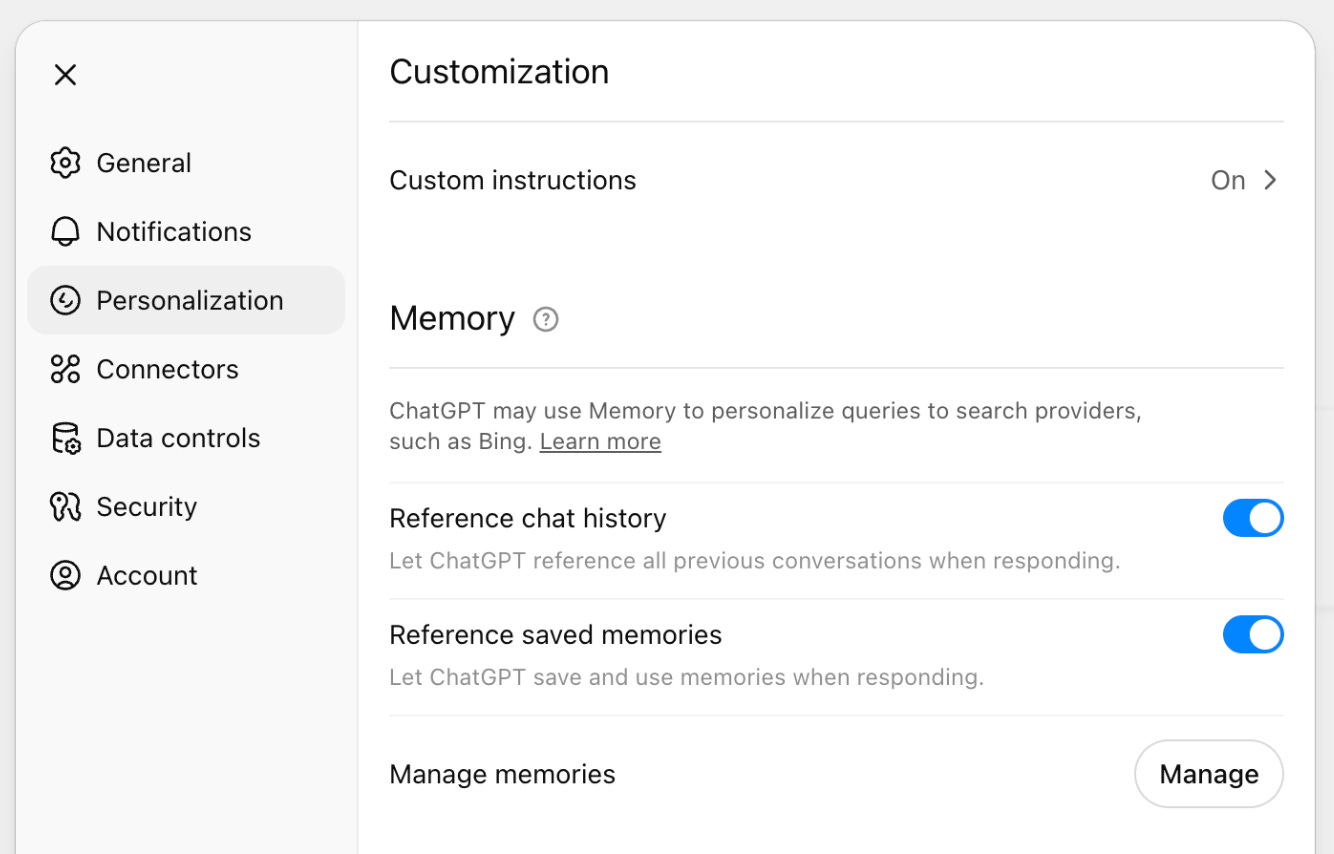
ChatGPT memory got a serious upgrade in 2026. It now pulls context from your past chats, saved notes, uploaded files, and even your connected Gmail to give more personalized answers. The best part for me is the new memory sources view, which shows exactly which past chats or notes shaped a response. You can edit or delete anything that is outdated.
How this can help you at work:
Stop repeating your role, company, and tone preferences in every chat
Keep a running context for ongoing projects
Trust it more, because you can audit what it knows about you
Go to Settings, then Personalization, to manage it.
5. ChatGPT for Excel and Google Sheets (global rollout)
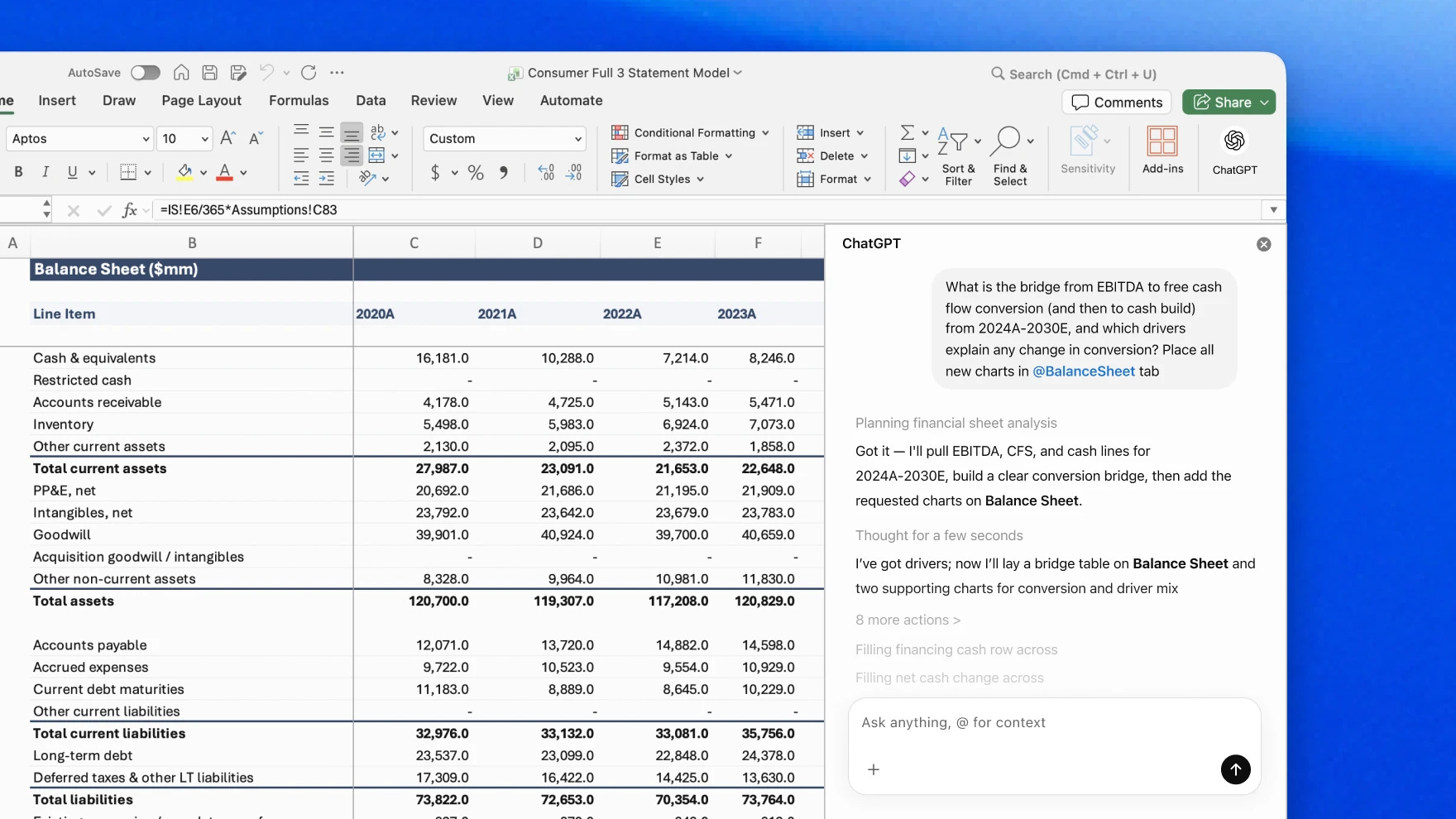
If you live in spreadsheets, this one is huge. ChatGPT now sits inside Excel and Google Sheets as a sidebar. You can ask it to clean up messy data, build formulas, explain what a workbook does, or update rows in plain English.
I tested it on a quarterly tracker that had thousands of inconsistent entries, and it sorted the mess in minutes. No more pretending I remember VLOOKUP syntax.
How this can help you at work:
Clean up customer lists or survey data without manual work
Build formulas by describing what you want
Get plain English explanations of spreadsheets you inherited
Update workbooks while staying inside the file
Available globally for ChatGPT Business, with a free preview through June 2, 2026.
6. Projects (now better and free for everyone)
Projects are workspaces inside ChatGPT where you can group related chats, files, and instructions. Each project remembers its own context, so a chat in your “Marketing Plan” project does not get mixed up with your “Personal Travel” project.
Two big upgrades in 2026: projects now hold up to 40 files, and project sharing is now available to all users including the free plan. You can invite teammates and pick up where each other left off.
How this can help you at work:
Run a quarterly review project with all your data in one place
Onboard a new hire by sharing a project full of company context
Keep a research project that grows over weeks without losing the thread
7. Fast Answers (a small but lovely upgrade)
For simple factual questions, ChatGPT now gives you a fast answer without going through past chats or memory. So when you ask “what is the capital of Norway” you do not get a personalized novel. You just get the answer.
How this can help you at work:
Quick fact checks during meetings
Looking up definitions or numbers without breaking flow
Faster experience on mobile
8. New App Connectors (the quiet productivity unlock)
OpenAI keeps expanding what ChatGPT can connect to. In recent months I have used Outlook Email and Calendar (including shared mailboxes), Box, Notion, Linear, and Dropbox, all with new write actions. Meaning ChatGPT can not just read these tools, it can update tickets, draft emails, and create calendar events.
How this can help you at work:
Schedule meetings without leaving the chat
Draft replies inside Outlook
Pull project status from Linear and turn it into a status update
Find a file in Dropbox just by describing it
My honest take
The story of ChatGPT in 2026 is simple. It went from a clever chatbot to something that feels closer to a real assistant. Memory makes it personal. Pulse makes it proactive. Agents make it work for you in the background. And the spreadsheet integration finally fixes one of the most painful workflows for office workers.
If you only try one thing from this email, try building a Workspace Agent for a task you do every week. It feels like magic the first time you watch it run on its own.
I will keep testing and writing as more features roll out. Hit reply and tell me which one you want me to dig deeper into.
P.S. If a friend forwarded this, you can subscribe here for weekly AI tips for normal humans, not developers.
Tags: ChatGPT 2026, AI for work, ChatGPT agents, GPT-5.5, ChatGPT Pulse, AI productivity, ChatGPT new features, AI at work, AI tips