ChatGPT-5 Prompt Engineering
Some tips and tricks for ChatGPT-5!

What is GPT-5?
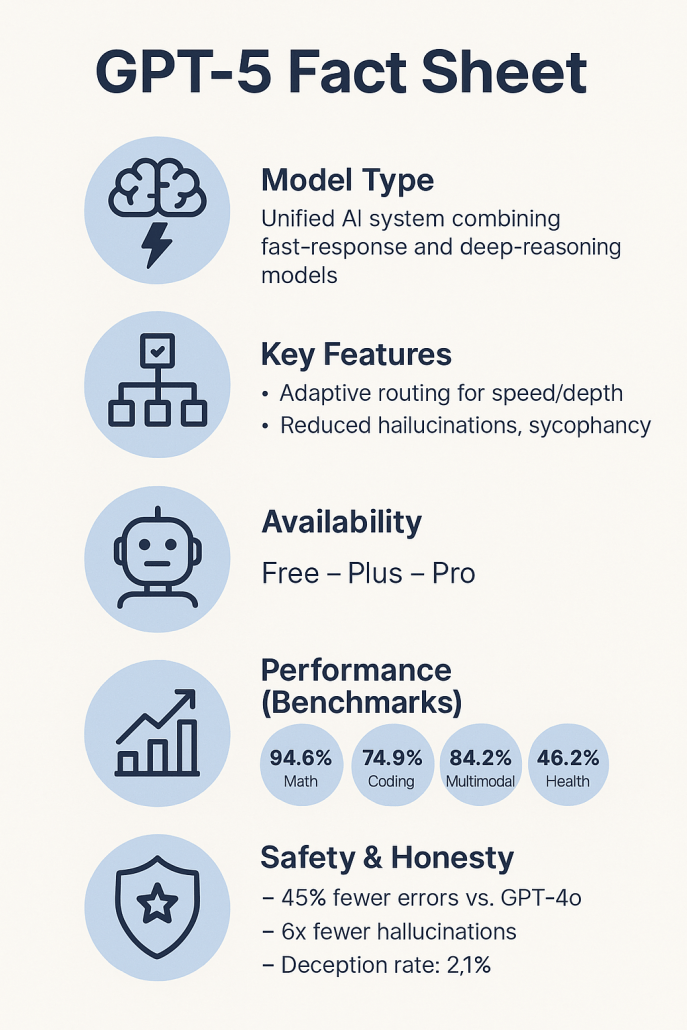
GPT-5 is OpenAI’s latest and most advanced generative language model—the brain behind the new version of ChatGPT. It is described as a significant leap in intelligence compared to earlier models, with top performance in areas such as code, mathematics, writing, healthcare, and even visual understanding. GPT-5 is designed as a unified system consisting of two modes: a faster standard mode for simpler questions and a deeper “GPT-5 Thinking” mode for complex problems requiring extensive reasoning. An intelligent router inside the system automatically selects the right mode based on the complexity or multi-step nature of the query—simple tasks are answered instantly, while more difficult ones trigger deeper analysis. The goal is to deliver expert-level answers by “thinking longer” when needed, while keeping response times short for routine queries. GPT-5 is available to all ChatGPT users—even free users—while paying Plus and Pro subscribers get higher usage quotas and access to special versions like GPT-5 Pro with enhanced reasoning ability.
Prompt Engineering for GPT-5
1. Be explicit about your goal
State what you want, the format you want it in, and any constraints (tone, style, word count, technical depth).
Example:
❌ “Write about climate change.”
✅ “Write a 300-word policy brief for business leaders on climate change, with 3 bullet-point recommendations.”
2. Use role assignment
GPT-5 responds better when given a role or persona.
Example:
“You are an experienced financial analyst. Explain to a non-technical audience why interest rates affect stock prices.”
3. Structure complex tasks
For multi-step reasoning, break it into clear stages or numbered instructions.
Example:Summarize the article.
Identify 3 key trends.
Suggest 2 follow-up research questions.
4. Use the “Thinking mode” strategically
For deep reasoning tasks (complex analysis, strategic planning, long-form code), signal that the model should “take time” or “think step-by-step.”
Example:
“Think step-by-step and outline your reasoning before giving the final answer.”
5. Provide examples
If you want a specific style or structure, show an example and tell GPT-5 to follow it.
Example:
“Here’s an example meeting summary. Follow this structure for the next transcript.”
6. Control output length and depth
Use verbosity (API parameter) or in prompt say “Give a short 2-paragraph answer” or “Write an in-depth 1500-word analysis.”
This avoids overly short or excessively long answers.
7. Ask for self-checks
For factual or safety-critical tasks, instruct GPT-5 to review its answer before finalizing.
Example:
“Draft the answer, then double-check each fact against the context provided and mark any uncertainties.”
💡 Pro tip:
With GPT-5’s larger context window, you can feed it full style guides, datasets, or codebases upfront—this lets it produce answers that align closely with your specific standards.
How People are using ChatGPT-5 after 24 hours of release